
Com4Com Messenger4.0.4 - Google Play
You'll be able to see results in few seconds.
Publisher Description

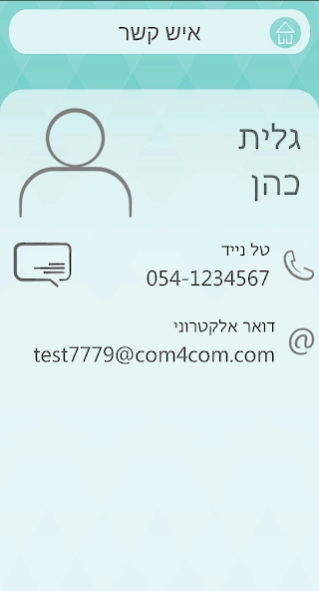


Android application for Com4Com
Com4Com Messenger App is an add-on extension to the Com4Com Online Directory and Messaging service. It provides you the ability to view contacts according to your granted permissions from organization of which you are related to (such as your child's school or your community center), send Email or Text messages and receives 'push' messages.
The wider Com4Com Online Directory and Messaging service is a designated service enables schools (and other community organizations), staff and parents enhanced and secured communication channel. Originally created as an initiative to help keep schools and parents in sync, Com4Com has leveraged its expertise to develop services for other community organizations that require a comprehensive online directory and the ability to easily communicate with their members.
Com4Com offers…
- Reliable and comprehensive Online Directory services and communication
- Utmost respect for people’s time, privacy and personal preferences
- Robust web-based administrator interface enables simplified management
- Advanced privacy policies and access permission rules
- Customizable messaging definitions and reports
- A mobile application that enables community members to view and search the online directory, update profiles, send email or text messages, and receive alerts
Whether you’re an a school principal, faculty member or PTA volunteer, a community organization facilitator or community member – Com4Com is designed for you.
About Com4Com Messenger
The company that develops Com4Com Messenger is Com4Com Ltd.. The latest version released by its developer is 4.0.4.
To install Com4Com Messenger on your Android device, just click the green Continue To App button above to start the installation process. The app is listed on our website since 2021-01-01 and was downloaded 0 times. We have already checked if the download link is safe, however for your own protection we recommend that you scan the downloaded app with your antivirus. Your antivirus may detect the Com4Com Messenger as malware if the download link to com.com4com.smartphone is broken.
How to install Com4Com Messenger on your Android device:
- Click on the Continue To App button on our website. This will redirect you to Google Play.
- Once the Com4Com Messenger is shown in the Google Play listing of your Android device, you can start its download and installation. Tap on the Install button located below the search bar and to the right of the app icon.
- A pop-up window with the permissions required by Com4Com Messenger will be shown. Click on Accept to continue the process.
- Com4Com Messenger will be downloaded onto your device, displaying a progress. Once the download completes, the installation will start and you'll get a notification after the installation is finished.
Program Details
System requirements
Download information
Pricing
Version History
version 4.0.4
posted on 2021-01-01
Bug fixes
version 4.0.3
posted on 2020-09-12
Add corona module support
version 4.0.2
posted on 2020-07-03
Fix minor colors issues
version 4.0.1
posted on 2020-05-10
Fix a bug with Notification Registration
Open Com4Com Url when open the app with url
version 4.0.0
posted on 2020-03-22
Complete application redesign
version 3.3.9
posted on 2019-04-05
Removed sending SMS using phone as required by Google
version 2.51
posted on 2015-12-21
Support Hebrew in new versions of Android
Disclaimer
Official Google Play Link
We do not host Com4Com Messenger on our servers. We did not scan it for viruses, adware, spyware or other type of malware. This app is hosted by Google and passed their terms and conditions to be listed there. We recommend caution when installing it.
The Google Play link for Com4Com Messenger is provided to you by apps112.com without any warranties, representations or guarantees of any kind, so access it at your own risk.
If you have questions regarding this particular app contact the publisher directly. For questions about the functionalities of apps112.com contact us.
